Reverb Filter (Max for Live)
A streamlined utility for dynamic reverb EQ, supercharged with 13 Character and Motion effects to color and animate your reverb tails.
The Story
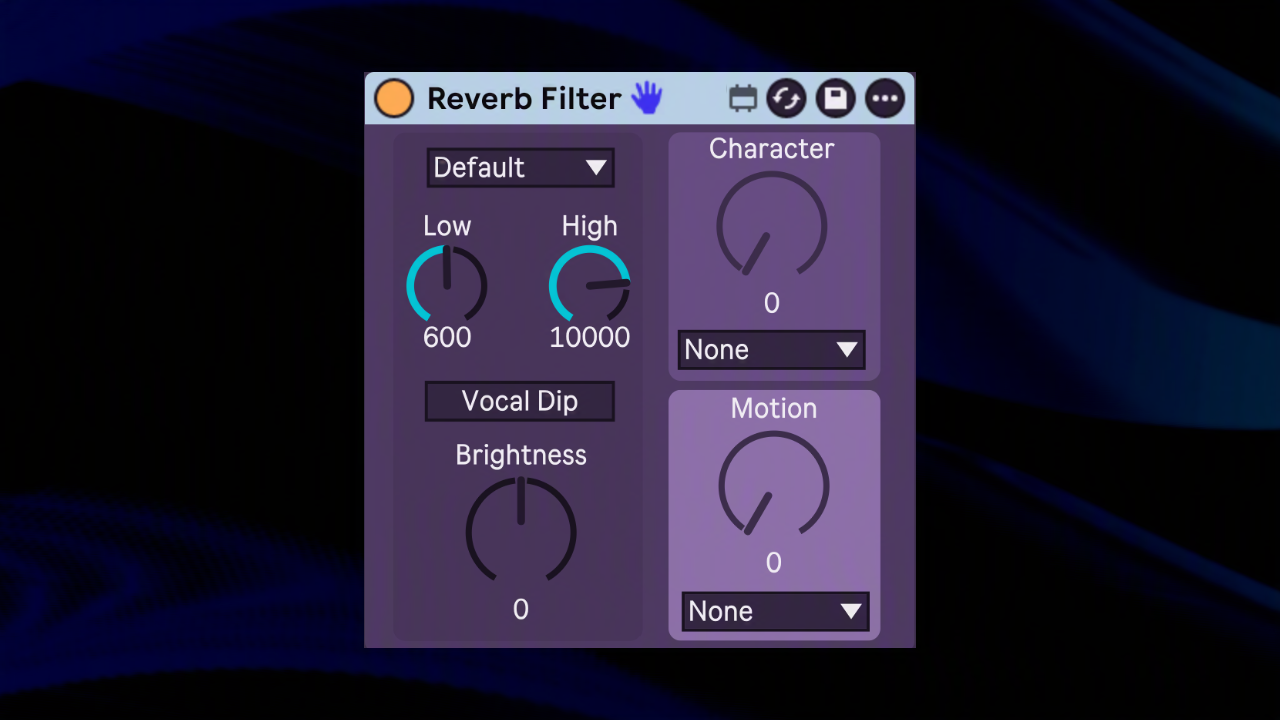
Reverb Filter 2.0 brings complete DSP parity with our native C++/JUCE plugin directly into Ableton Live. Beyond simple filtering, it supercharges your workflow with 13 new Character and Motion effects, allowing you to sculpt, color, and animate your reverb tails without ever leaving the device strip.
Key Features
- Streamlined EQ Architecture: Dedicated Low Cut (20 Hz–6 kHz) and High Cut (2 kHz–20 kHz) filters tailored specifically for reverb tail management.
- Single-Knob Brightness Tilt: Macro control to dynamically shift the overall tonal balance from dark and moody to bright and airy.
- One-Click Vocal Dip: Dedicated 2 kHz peaking notch to clear up consonant harshness and keep vocal reverbs sitting smoothly in the mix.
- Character Engine: 5 distinct coloring modes (Resonance, Comb, Phaser, Ring Mod, Bitcrush) to add texture, grit, or resonance to spatial tails.
- Motion Engine: 8 animated modulation algorithms (Tremolo, Auto Pan, Gate/Slicer, Vibrato, Chorus, Delay, Ping Pong, Multi Tap) synced to rate and depth for evolving space.
Watch it in Action
Release Notes
v2.0.03 September 2026
- Major update: Complete DSP parity with the native VST3/AU version.
- New Feature: Character engine added with 5 modes (Resonance, Comb, Phaser, Ring Mod, Bitcrush).
- New Feature: Motion engine added with 8 modulation modes (Tremolo, Auto Pan, Gate/Slicer, Vibrato, Chorus, Delay, Ping Pong, Multi Tap).
- Improvement: Vocal Mode renamed to Vocal Dip.
v1.0.06 April 2025
- Initial release.
$2.50
Purchase via GumroadRequirements
Ableton Live 11+ (Suite, or Standard with Max for Live addon). macOS 10.15+ or Windows 10+.
Current Version
v2.0.0 (Updated 3 September 2026)